AI clone video vs AI avatar video
AI clone video vs AI avatar video: which one do you need?
Key points
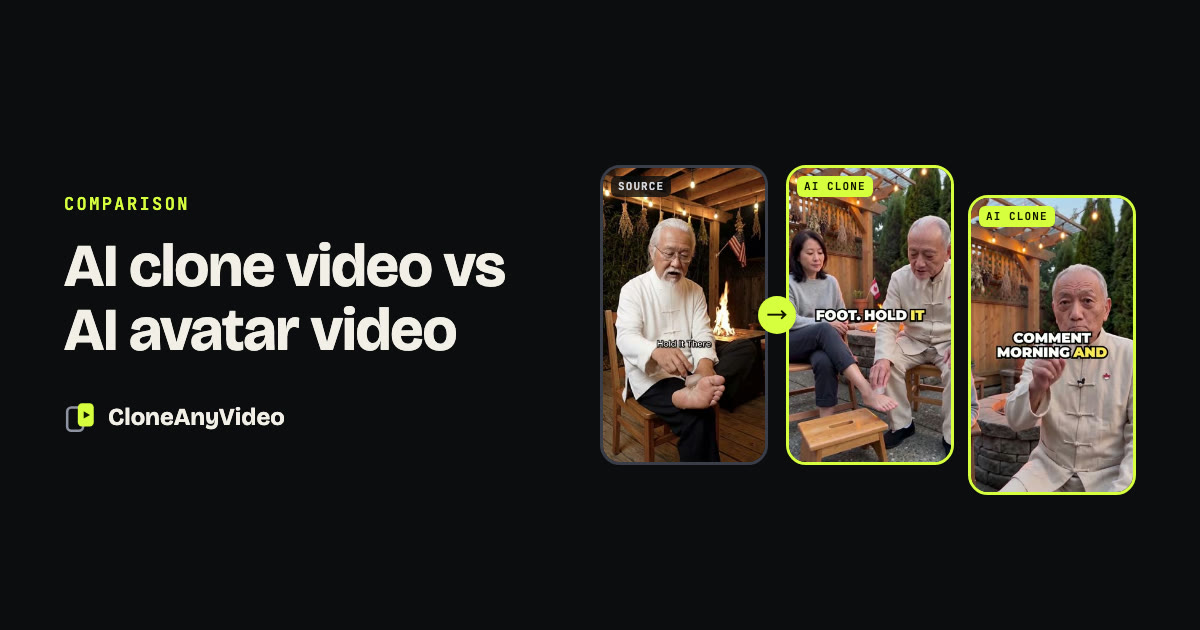
- An avatar video answers who says it. A clone video answers what video to make.
- Avatar tools hold one framing. A clone changes the picture at every beat, as the reference did.
- Both give you a consistent presenter. Only a clone gives you the edit.
- Use an avatar for long explainers you have already written. Use a clone for short-form posts.
The two terms are often used as if they meant the same thing. They solve different problems, and choosing the wrong one is the most common reason an AI video looks finished but does not get watched.
The short answer
- An AI avatar video answers the question “who says it?” You write a script and a digital person reads it to camera.
- An AI clone video answers the question “what video should I make?” You supply a video that already works and get a new one with the same structure.
| AI avatar video | AI clone video | |
|---|---|---|
| You start with | A script you wrote | A reference video |
| What is reproduced | A person talking | Hook, shot order, pacing, captions |
| Shots | Usually one framing | As many as the reference has |
| Other people and props | Rarely | Whatever the format needs |
| Script | Yours | Rewritten from the reference, you approve it |
| Best for | Explainers, training, announcements | Short-form posts and ads |
What an avatar video gives you
A consistent face and voice, with no filming. That is a real saving when you already know what to say and how to structure it: a product walkthrough, an onboarding lesson, an internal update, the same message in several languages.
What it does not give you is the edit. The picture is one person in one framing, start to finish.
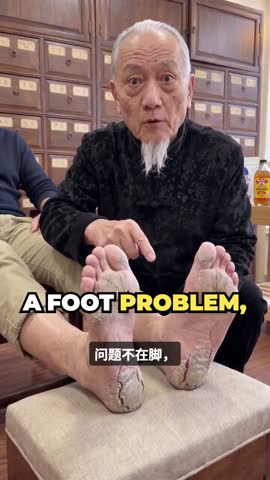


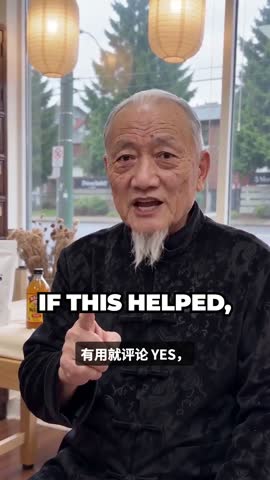
On a feed, that matters. A viewer decides in the first second or two whether to stay, and stays only while the picture keeps giving a reason. Talking-head formats that perform well are rarely one framing. They cut to the object, to a second person, to a close-up.
What a clone video adds
A clone treats the reference as a blueprint. It measures where the hook lands, how long each shot runs and how the captions are paced, then generates new footage on that plan.
Three things come with that which an avatar tool does not attempt.
A first frame that is already moving
The strongest hooks are an action in progress and a close-up. An avatar starts with a person about to speak. A clone starts wherever the reference started.
More than one person, and things to hold
Many formats depend on a second person: someone being treated, shown something, asked a question. In our outdoor pressure-point example the reference was a solo demonstration. The clone adds a second person so the technique is shown on someone instead of described.
 0:04
0:04 0:13
0:13 0:23
0:23 0:32
0:32 0:41
0:41 0:03
0:03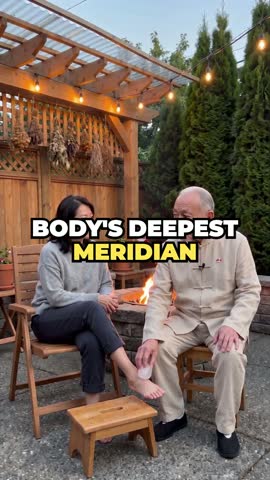 0:10
0:10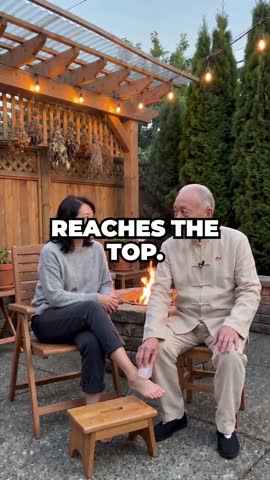 0:17
0:17 0:24
0:24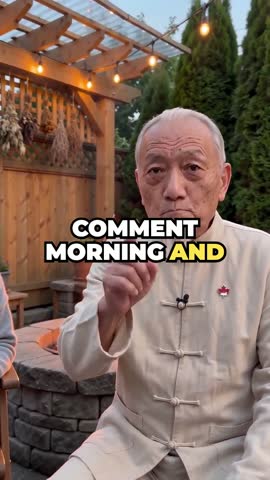 0:31
0:31A script you did not have to write
With an avatar the blank page is yours. With a clone you start from a rewritten version of something that already held an audience, and edit from there.
Where a clone is the wrong tool
Being clear about limits is more useful than a one-sided comparison.
- Long, information-dense video. A ten-minute lesson has no viral reference to clone. Write it and use an avatar.
- Exact wording. Legal notices, compliance training and scripted announcements need your words, unchanged.
- Live or interactive use. A clone is a finished file, not a real-time agent.
How to choose
Pick an avatar tool if
- You have a finished script
- The video is longer than a minute
- The picture does not need to change
- The wording must be exact
Pick a clone generator if
- You post short-form video
- You want formats that already perform
- You want one presenter across many formats
- You do not want to script, shot-list and edit each one
Questions to ask any tool
Whichever way you go, ask these before paying.
- Does the presenter stay the same across videos? Ask to see ten outputs side by side, not one.
- Who writes the script, and can I edit it before generation?
- Is the output finished? Voice, captions and cuts in one file, or parts you assemble yourself.
- What happens when a generation fails? Look for refunds on failed output and no charge for retakes.
- Can I use a real person, and how is consent handled?
If the right-hand column above is yours, the checklist on the AI clone video generator page goes deeper, and the step-by-step guide shows the process.